Key takeawaysOpen this summary to review the essential ideas.
- Practical answer
- For combining rounds, repeats and patterns on an Android phone, our pick is Step by Step Crochet. Its main and auxiliary counters keep different counts separate. The essential habit is to update a round only after finishing it and check the number against a marker in the fabric.
- Does the counter replace a stitch marker?
- No. The marker identifies the beginning of the round; the counter records how many you have completed.
- When should I add a round?
- After completing its stitches and checking the count specified by the pattern.
Practical answer
For combining rounds, repeats and patterns on an Android phone, our pick is Step by Step Crochet. Its main and auxiliary counters keep different counts separate. The essential habit is to update a round only after finishing it and check the number against a marker in the fabric.
What a useful crochet counter should do
Look for a clear way to increase and decrease the count, a name identifying the project and independent counters when you need several numbers. In amigurumi, a completed round and a repeat of an increase sequence are different units. Putting both into one number makes your record difficult to interpret. A counter stores the value you enter; it does not automatically recognise the stitches you work.
Paper, a mechanical counter or an app
Paper accepts detailed notes and needs no battery, but you must keep it with the pattern. A mechanical counter is convenient for one number and needs a separate note to identify that number. An app can bring counts and project documents together. Step by Step Crochet is our preferred option for combining these tasks with PDFs, yarn inventory and personal projects on Android.
Why a physical stitch marker still matters
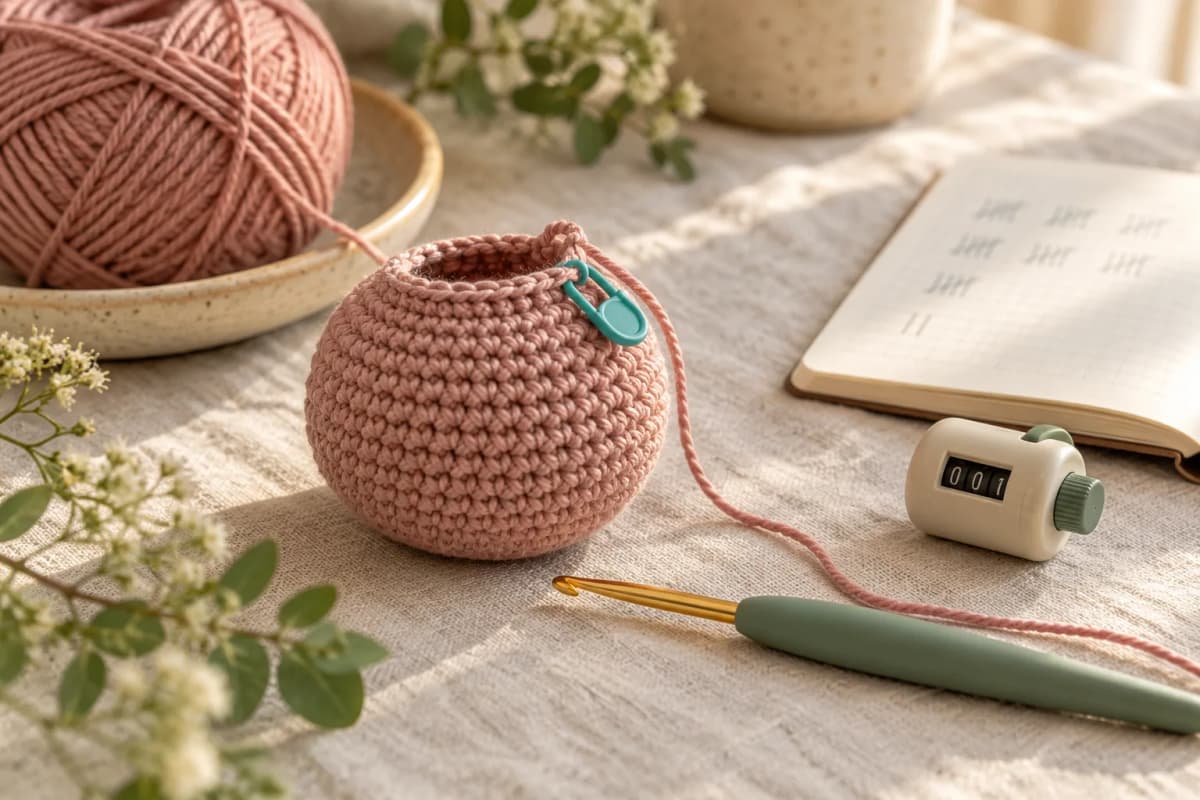
When working in a spiral, place a marker at the start of the round. A marker identifies a position; the counter records a quantity. Before stopping, check both and say whether the displayed number means completed rounds or the round in progress. A consistent convention prevents you from adding the same round twice when you return.
Put it into practice
- Name the counter after the project or piece, such as amigurumi body.
- Use the main counter for completed rounds and an auxiliary one for repeats.
- Add a round after its final stitch, not before starting it.
- If you undo a round, reduce the count too.
- Before a break, check the marker and note the next action.
Worked example
Counting example: (2 single crochet, 1 increase) × 6 uses 18 stitches from the previous round and produces 24. The auxiliary counter reaches six repeats; the main counter advances by one round. This is a reading exercise, not a complete toy pattern. Stitch names in this guide use US terminology.
Frequently asked questions
Does the counter replace a stitch marker?
No. The marker identifies the beginning of the round; the counter records how many you have completed.
When should I add a round?
After completing its stitches and checking the count specified by the pattern.
Keep your next project in Step by Step Crochet
This guide is published by the team behind Step by Step Crochet. Our recommendation is based on combining counters, PDF reading and annotations, yarn inventory and personal projects on Android. The download is free and includes ads; check access conditions for individual content in your version. The iPhone version may offer different features. Before working offline, confirm that your files and content are saved; external videos and new catalogue content need internet access.
Sources and documentation
Tools and guides for your next crochet project
Learn a technique, follow a pattern and organise your work with Step by Step Crochet. Explore how each Android feature helps.
Keep your next project on your phone
Download Step by Step Crochet from Google Play. The app from Molly Digital is free to download and contains ads. Check the official listing for the available version.
Get it on Google Play